What is YF-S201 Water Flow Sensor ? & How Does It Work?
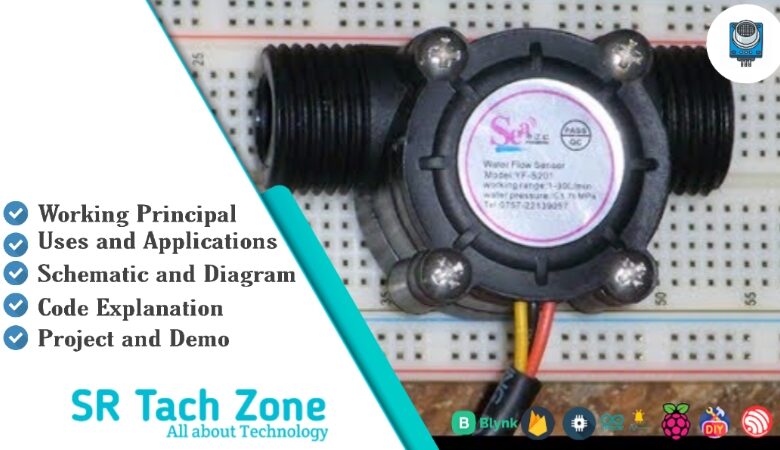
Welcome, Developers & Engineers! We’re excited to have you here. This space is built for creators, problem-solvers, and tech enthusiasts like you. Whether you’re exploring projects, diving into code, or just visiting a site that speaks your language, you’re in the right place. In this blog, you will gain insightful knowledge of the YF-S201 Water Flow Sensor Module. Moreover, understanding the basics of the YF-S201 can greatly enhance your water monitoring and automation projects. So, let’s get started.
What is YF-S201 Water Flow Sensor Module?
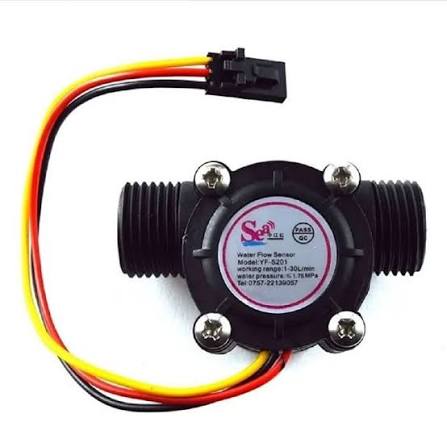
The YF-S201 is a popular, low-cost hall-effect water flow sensor that measures the rate of water (or other non-corrosive liquids) flowing through it. Consequently, it is widely used in Arduino and microcontroller projects for monitoring water usage, irrigation systems, and flow control. This sensor features a plastic valve body with a rotor and a hall-effect sensor. Therefore, it outputs electrical pulses with every revolution of the rotor, making it easy to calculate flow rate. Additionally, it is transparent for visual inspection and comes with 1/2-inch pipe connectors.
Working Principles of YF-S201 Water Flow Sensor Module?
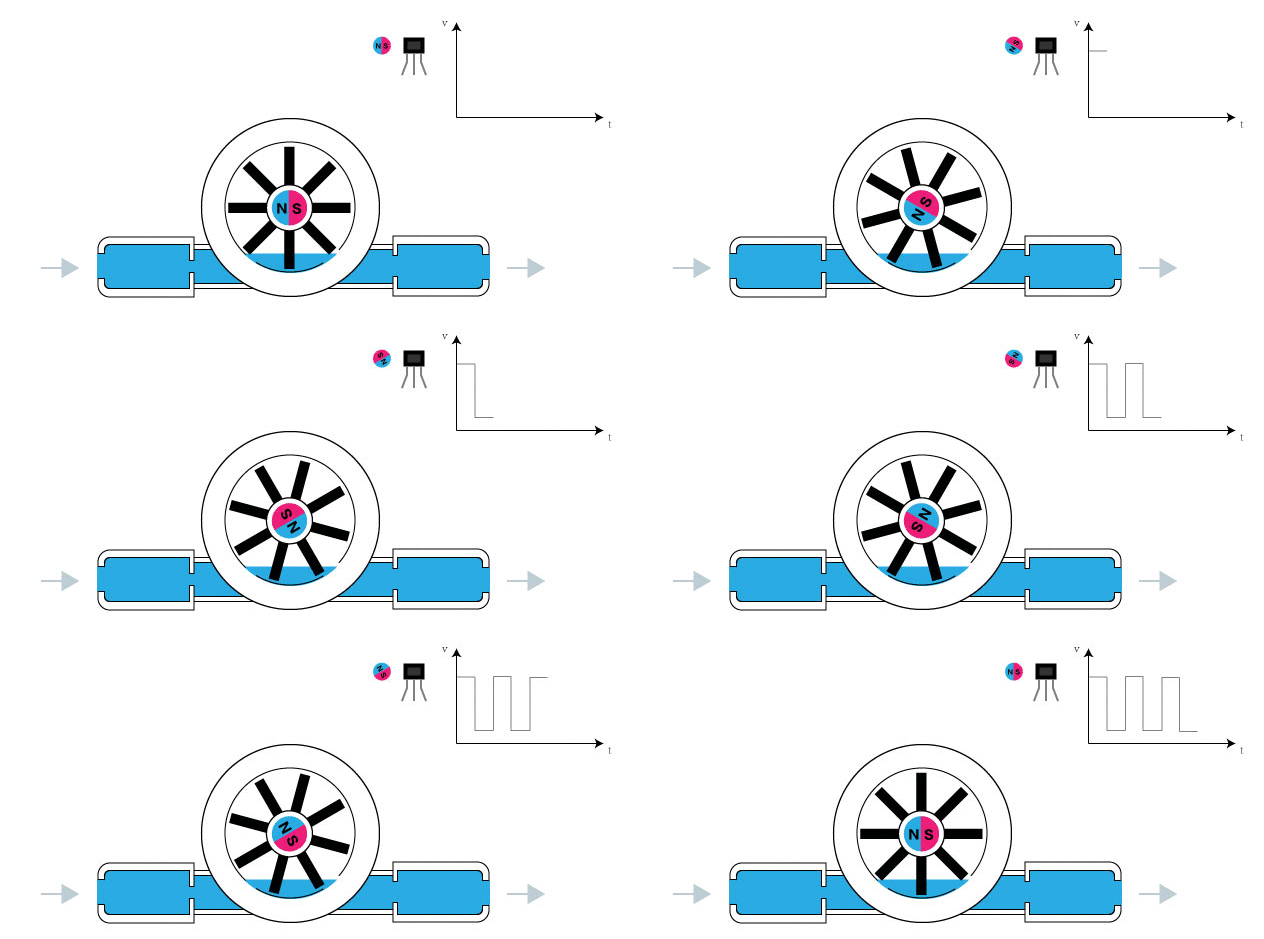
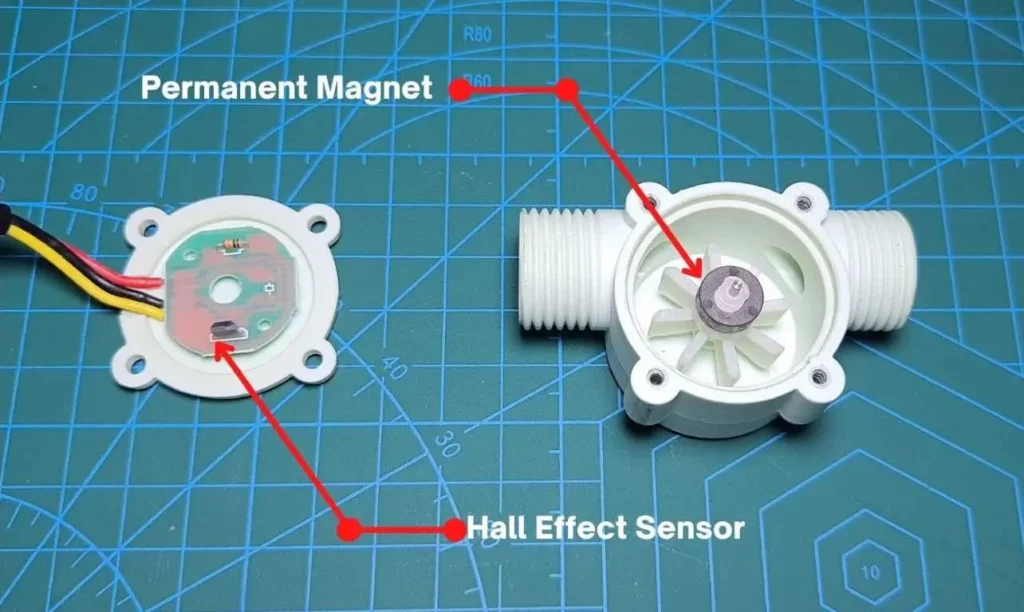
Flow Detection: First, water flowing through the sensor rotates an internal plastic rotor with an embedded magnet. As a result, the magnet passes near the hall-effect sensor on each revolution.
Pulse Generation: Moreover, the hall-effect sensor detects the changing magnetic field and generates a square-wave pulse for each pass. Consequently, the frequency of these pulses is directly proportional to the flow rate.
Flow Rate Calculation: In addition, the sensor has a known calibration factor (approximately 7.5 pulses per liter for the standard model, or ~450 pulses per liter per minute). Therefore, by counting pulses over time, you can accurately calculate liters per minute (L/min).
Hardware Overview of YF-S201 Water Flow Sensor Module?
The YF-S201 is a compact inline flow sensor with a transparent plastic body, rotor, hall-effect sensor, and three-wire cable.
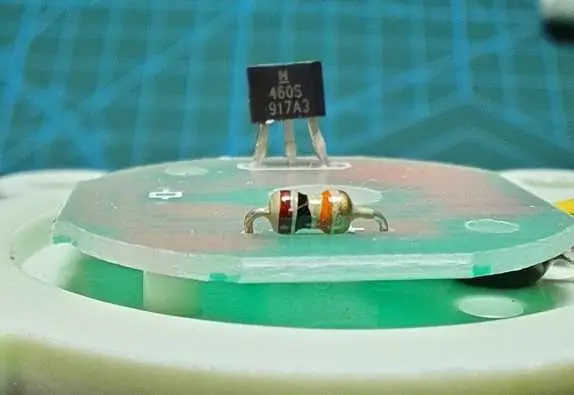
The rotor is lightweight and sealed to prevent leaks. As a result, it works reliably in gravity-fed or pressurized systems.
Supporting Circuitry: Additionally, the hall-effect sensor is powered directly (no external pull-up resistor needed in most cases). Consequently, connection is straightforward – just power, ground, and signal.
Technical Specifications of YF-S201 Water Flow Sensor Module?
- Function: Measures liquid flow rate using hall effect.
- Output: Digital pulse (square wave).
- Flow Range: 1 to 30 liters per minute (L/min).
- Operating Voltage: 5V to 24V DC (commonly 5V with Arduino).
- Current Consumption: ~15 mA at 5V.
- Pulse Frequency: ~7.5 Hz per L/min (450 pulses per liter).
- Accuracy: ±10%.
- Maximum Pressure: 1.75 MPa (17.5 bar).
- Operating Temperature: -25°C to +80°C.
- Pipe Size: 1/2 inch (G1/2).
- Pinout: Red (VCC), Black (GND), Yellow (Signal).
YF-S201 Water Flow Sensor Module Pinout?
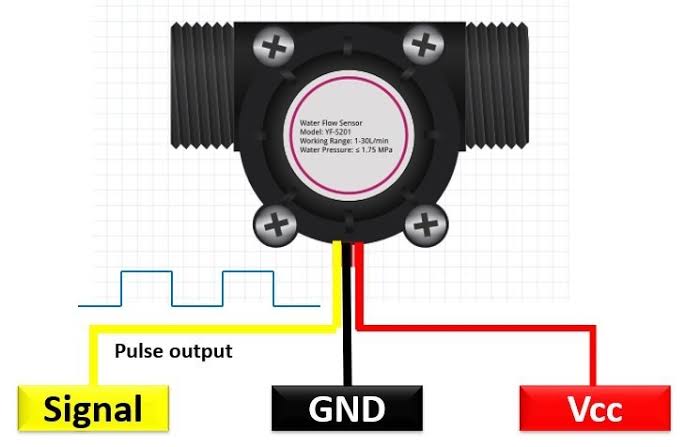
- Red Wire: VCC (5V-24V)
- Black Wire: GND
- Yellow Wire: Signal (pulse output)
Basic Connections to Arduino:
- Red: Connect to 5V on Arduino
- Black: Connect to Arduino GND
- Yellow: Connect to digital pin 2 (interrupt-capable pin recommended)
Real Life Uses and Applications of YF-S201 Water Flow Sensor Module?
The YF-S201 is ideal for water management and automation projects.
- Smart Irrigation Systems: Measures water delivered to plants and automates valves.
- Water Usage Monitoring: Tracks household or garden water consumption.
- Coffee Machines: Precise control of water volume for brewing.
- Aquariums: Monitors pump flow or water changes.
- DIY Water Meters: Logs total water used over time.
- Leak Detection: Alerts if unexpected flow occurs.
- Hydroponics: Ensures correct nutrient solution flow.
Using YF-S201 Water Flow Sensor Module with Arduino
In this part, we will learn how you can use YF-S201 with Arduino Uno, Nano, or Mega to measure water flow rate and volume in just a few minutes – even if you’re a beginner.
What You Need:
- Any Arduino board (Uno recommended)
- YF-S201 Water Flow Sensor
- Jumper wires
- Water source and tubing (optional for testing)
Wiring Diagram:
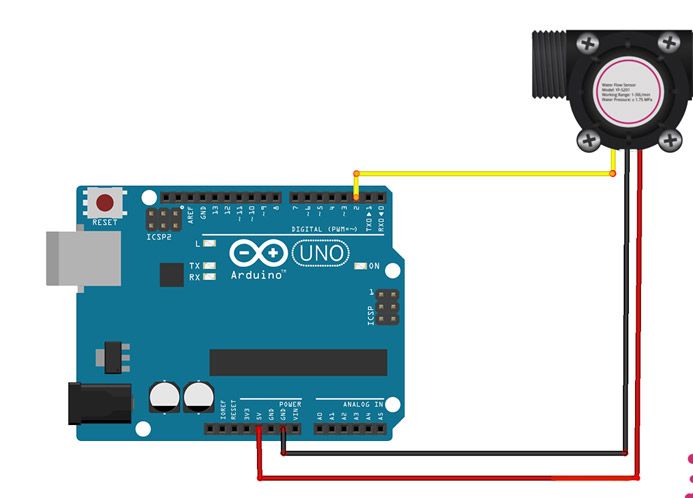
Connect directly – use an interrupt pin for accurate pulse counting.
Code:
No special library is required – we use interrupts for precise counting. Here’s a tested simple code – just copy-paste into your Arduino IDE.
#define FLOW_PIN 2     // Yellow wire to digital pin 2 (interrupt)

volatile int pulseCount = 0;
float flowRate = 0.0;
float totalLiters = 0.0;
unsigned long oldTime = 0;

void setup() {
  pinMode(FLOW_PIN, INPUT);
  digitalWrite(FLOW_PIN, HIGH);  // Enable internal pull-up
  attachInterrupt(digitalPinToInterrupt(FLOW_PIN), pulseCounter, FALLING);

  Serial.begin(9600);
  Serial.println("YF-S201 Water Flow Sensor Ready!");
  oldTime = millis();
}

void loop() {
  if ((millis() - oldTime) > 1000) {  // Update every second
    detachInterrupt(digitalPinToInterrupt(FLOW_PIN));

    flowRate = pulseCount / 7.5;  // L/min (7.5 pulses per liter/min)
    totalLiters += flowRate / 60.0;  // Add to total (per second)

    Serial.print("Flow Rate: ");
    Serial.print(flowRate);
    Serial.print(" L/min | Total: ");
    Serial.print(totalLiters);
    Serial.println(" L");

    pulseCount = 0;
    oldTime = millis();
    attachInterrupt(digitalPinToInterrupt(FLOW_PIN), pulseCounter, FALLING);
  }
}

void pulseCounter() {
  pulseCount++;
}
Note: This is a basic example using standard Arduino functions and interrupts – no external library needed.
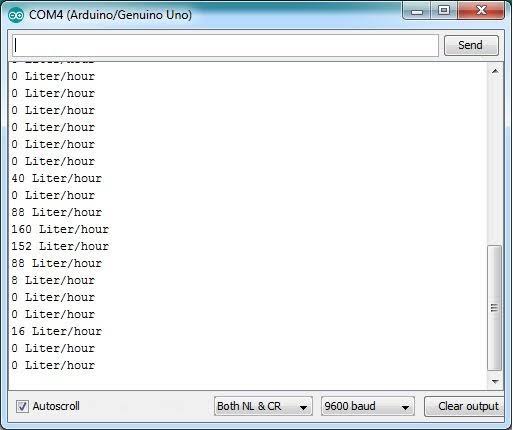
After uploading the code, open the Serial Monitor (Ctrl+Shift+M), set baud rate to 9600, and run water through the sensor. You’ll see real-time flow rate in L/min and cumulative volume in liters!
Note: Calibrate if needed (actual factor may vary slightly). Use pin 2 or 3 on Uno for interrupts. Moreover, ensure proper sealing and avoid air bubbles for accurate readings.
Wrapping up
In this post, we’ve covered all the fundamental aspects of the YF-S201 Water Flow Sensor Module. We trust that the information provided has been clear and insightful. Feel free to ask any questions you may have about this topic in the comment section below. We are here to help and provide additional clarification as needed.